Big 10 + FAQ

FREQUENTLY ASKED QUESTIONS
Heid Music Big10+ Contest: Customer FAQ
You may vote once every 24 hours.
This is based on the exact time you last voted, not once per calendar day.
Example:
If you vote at 2:40 PM, you can vote again after 2:40 PM the next day.
Entries are manually approved by our marketing team, and are usually visible within 24 hours (if not sooner).
If your entry is still not visible after more than 24 hours, feel free to contact Heid Music and we’ll be happy to help.
Most likely, 24 full hours haven’t passed since your previous vote.
Try checking again a little later—once the full 24-hour period has passed, the system will allow another vote.
Not yet.
Heid Music reviews all votes at the end of the contest to ensure:
- Duplicate or invalid votes are removed
- All entries are counted fairly
- Adjustments for errors of failed voting attempts are adjusted
Final winners will be announced after this review.
Desktop Video Guide
▶️ https://youtu.be/6dszkFJ-Irw
Mobile Video Guide
▶️
https://www.youtube.com/shorts/MOIu5De__yI?feature=share
These short videos walk you through the voting steps.
You can try:
- Refreshing the page
- Using a different web browser
- Make sure you have entered information in all the fields of the entry form
- Clearing your browser’s cookies or cache
- Trying the mobile site if the desktop version is giving you issues
Depending on your school's device policies and what students are able to use during the day, external websites like HeidMusic.com may see these as all coming from a single IP. If you are having difficulty with multiple users voting from the school campus, we recommend voting off site or from personal devices not using school WiFi.
If school staff use a remote desktop work environment while on campus, it will appear to the voting software like 1 computer. We recommend using your personal devices as an alternative.
Directors: If you are consistently having trouble seeing the Enter or Vote buttons while on campus or using your school network, contact your IT administrator and see if they can Allowlist/Safelist www.HeidMusic.com
If problems continue, feel free to contact Heid Music and we’ll be happy to help.
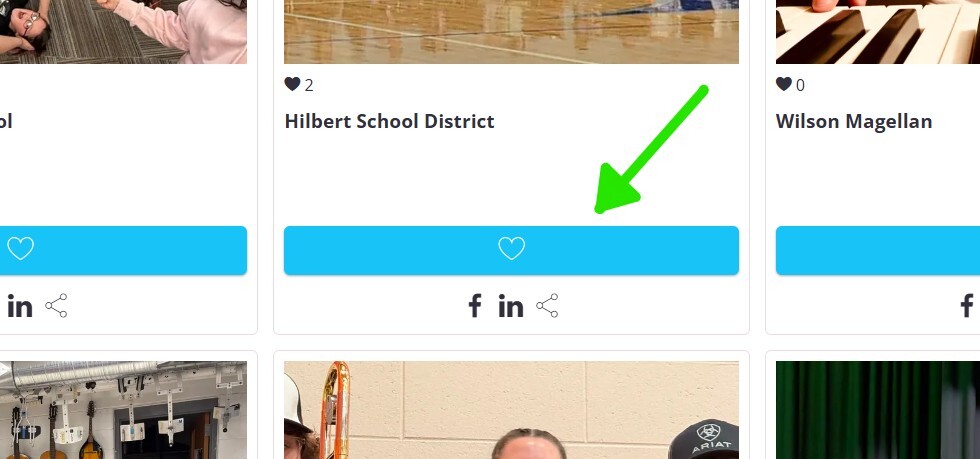
Make sure your click the BLUE button to vote on your school's picture after you fill out the voting form!